Local Businesses
The Complete Google My Business Optimization Guide for Local Businesses in 2026
Google My Business is the highest-ROI marketing tool available to any local business — and most owners use only 20% of what it can do. This is the complete guide to optimizing…
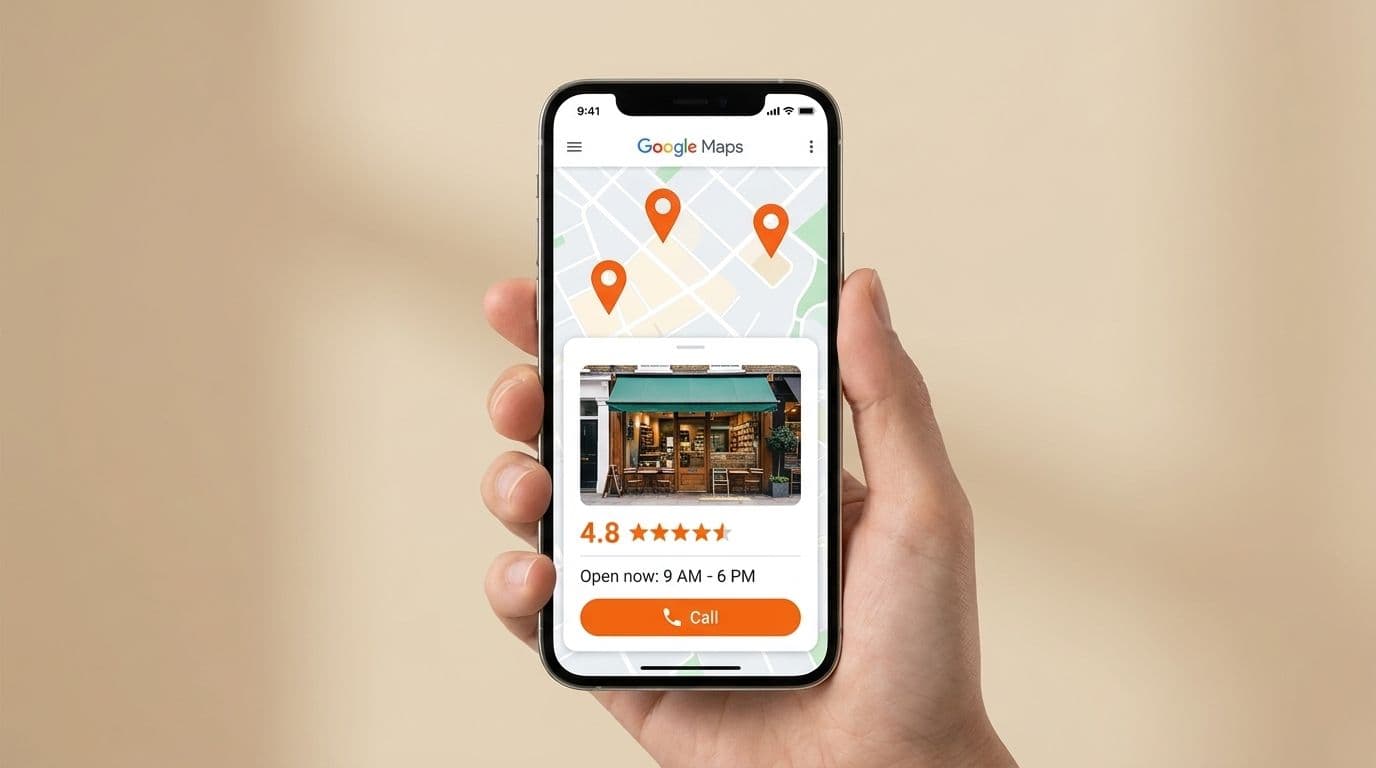
When someone in your city searches 'dentist near me', 'coaching center in Jaipur', or 'best bakery in Vaishali Nagar' — the three businesses that appear in the Google Maps box at the top of the results page get the vast majority of clicks, calls, and visits. This box is called the Local Pack, and getting into it is the single most impactful thing a local business can do for its online growth. The tool that determines who gets in: your Google Business Profile.
Formerly called Google My Business, your Google Business Profile is a free listing that Google uses to show your business information across Search and Maps. Most local businesses have claimed theirs — but claiming it is the beginning, not the end. A half-filled profile is almost as invisible as no profile at all. This guide covers every element of your profile, what to do with it, and why it matters for your ranking and your enquiries.
How Google Decides Who Ranks in the Local Pack
Google ranks local businesses based on three factors. Understanding them tells you exactly where to focus your optimization efforts.
- Relevance: How well your business profile matches what the person searched for. This is why filling in every category, service, and description field matters — Google uses this information to match you to searches.
- Distance: How close your business is to the searcher or to the location they specified. You can't change your physical location, but you can make sure Google knows it precisely.
- Prominence: How well-known and trusted your business is — determined by the number and quality of reviews, how active your profile is, how many websites link to you, and how consistently your name, address, and phone number appear across the internet.
Step 1: Claim and Verify Your Profile
Go to business.google.com and search for your business. If it already exists, claim it. If it doesn't, create it. Verification is required before your profile goes live — Google will send a postcard with a code to your business address (usually within 5–7 days), or offer phone or email verification for some business types. Until you verify, your profile won't rank. This single step stops more local businesses from showing up on Google than anything else.
Step 2: Complete Every Single Section of Your Profile
Google rewards completeness. Profiles that fill every available field consistently outrank those that leave sections empty. Here's what to fill in and what to write.
- Business Name: Use your real business name exactly as it appears on your signboard and legal documents. Don't add keywords to your business name (e.g., 'ABC Coaching Center - Best JEE Coaching Jaipur') — Google penalizes keyword stuffing in business names.
- Primary Category: Choose the most specific category that describes your core service. 'Tutoring Service' is better than 'School' for a coaching center. 'Dental Clinic' is better than 'Health' for a dentist. Your primary category is the most important ranking factor you control.
- Additional Categories: Add every relevant secondary category. A coaching center can add 'Educational Institution', 'Test Preparation Center', and specific subject categories.
- Business Description (750 characters): Write naturally about what you do, who you serve, and what makes you different. Include your city and area name, your primary service, and your target customer. This is read by both Google and your potential customers.
- Services: Add every individual service with a name, description, and price (or price range). Each service you list can match a search query someone types into Google.
- Products: If you sell physical products or service packages, list them here with photos and prices.
- Attributes: Google offers a set of attributes specific to your business type — 'Wheelchair accessible', 'Women-led', 'Free Wi-Fi', 'Online appointments available'. Check every attribute that applies.
- Opening Hours: Fill in your exact hours, including special hours for holidays. Inaccurate hours are one of the most common reasons local businesses get one-star reviews and lose customers.
Step 3: Add Photos That Actually Drive Clicks
Businesses with more than 100 photos on their Google Business Profile receive 520% more calls than those with fewer than 10. That's not a small difference — it's the difference between a business that looks alive and one that looks abandoned. Photos communicate trust, quality, and authenticity in a way that words can't.
- Cover photo: Your most compelling image — usually the exterior of your business, a signature product, or a team photo. This is what appears in the search result card.
- Interior photos: Show the inside of your space. For a coaching center, show the classroom. For a restaurant, show the dining area. For a salon, show the stations. People want to see where they're going before they commit.
- Product or service photos: Your best work. Before-and-after for salons and clinics. Dishes for restaurants. Results boards and classroom activities for coaching centers.
- Team photos: Introduce your staff by name. This humanizes your business and builds trust before the customer walks in.
- Add at least 3–5 new photos every month. Google tracks how recently photos were added and uses this as a freshness signal. An active profile ranks better than a static one.
Step 4: Build Your Review Profile Systematically
Reviews are the most powerful ranking and trust signal in local SEO. The quantity, recency, and quality of your reviews all matter. Here's the system that works.
- Create a short review link: Go to your Google Business Profile dashboard, click 'Get more reviews', and copy the short URL. Save this link — you'll use it every week.
- Ask at the moment of maximum satisfaction: For a restaurant, this is when the customer compliments the food. For a coaching center, it's when results are announced. For a salon, it's right after the customer looks in the mirror and smiles. Timing is everything.
- Use WhatsApp to send the link personally: 'It was wonderful serving you today. If you have a moment, your Google review would help us a lot — here's the link: [link]. It takes under 2 minutes.' Personal requests outperform automated bulk messages significantly.
- Respond to every review within 24 hours: Thank positive reviewers by name and mention something specific about their experience. For negative reviews, apologize, acknowledge the issue, and offer to resolve it. This demonstrates professionalism to every future customer who reads the exchange.
- Never offer incentives for reviews: Google's policies prohibit this and can result in your profile being suspended. Ask genuinely — a satisfied customer is usually willing to help if you make it easy.
Step 5: Post Updates at Least Once a Week
Google Business Profile has a Posts feature that almost no local business uses — which makes it a significant competitive advantage for those who do. Posts appear directly in your Google listing and let you share updates, offers, events, and new products. Google uses posting frequency as a signal of business activity, which influences your ranking.
- What to post: new batch or service announcements, seasonal offers or discounts, events you're running, new products or menu items, tips and useful information for your customers, milestone celebrations like anniversaries or achievements.
- How to write posts: Start with the most important information — Google truncates posts in the preview. Include a clear CTA at the end: 'Call Now', 'Book Online', 'WhatsApp Us'. Add a relevant photo to every post.
- Post at minimum once a week. Posts expire after 7 days for most categories, so a weekly cadence keeps your profile fresh and your updates visible.
- Use the Offers post type for promotions — it displays with a special tag in the listing and catches the eye of people scanning results.
Step 6: Keep Your NAP Consistent Everywhere Online
NAP stands for Name, Address, and Phone Number. Google cross-references your business information across the entire internet — your website, your Facebook page, your Justdial listing, your IndiaMart profile, other directories — and uses consistency as a trust signal. If your address is listed differently in different places (abbreviations, spelling variations, different phone numbers), it creates confusion for Google and can suppress your local ranking.
Audit your business information across every platform where it appears and make it identical to what's on your Google Business Profile. Same business name spelling, same address format, same phone number with the same country code format. This is unglamorous work, but it's one of the most reliable ways to improve your local ranking over 60–90 days.
What to Expect and When
- Week 1–2: Complete your profile fully, add 20+ photos, create your review request link. Your profile impressions will increase noticeably within 2–3 weeks.
- Month 1–2: Begin collecting reviews consistently (aim for 5+ new reviews per month). Start posting updates weekly. You'll begin seeing your profile appear for more search queries.
- Month 3–6: With 20+ reviews and weekly posts, most businesses see themselves enter the Local Pack for their primary keywords. Calls and directions requests from the profile increase significantly.
- Month 6+: Your profile becomes a consistent, compounding source of customer enquiries that costs nothing to maintain beyond the time you invest each week.
Your Google Business Profile is the most valuable piece of digital real estate your local business owns — and it's free. Most of your competitors have claimed theirs but left it half-empty. A fully optimized, actively maintained profile puts you ahead of 90% of local businesses in your category without spending on advertising. Start today, be consistent, and the compounding effect will be visible within 90 days.
Related Posts
View all
MVP Development
How We Plan a Software Product From Idea to Launch
A transparent look at the modern software engineering lifecycle: discovery, technical architecture, agile sprint delivery, QA testing, and launch.
Read
Custom Software Development
Custom Software vs Off-the-Shelf Software: Which Should Your Business Choose?
Compare custom software development vs off-the-shelf SaaS. Total cost of ownership, operational fit, scalability, and decision framework.
Read